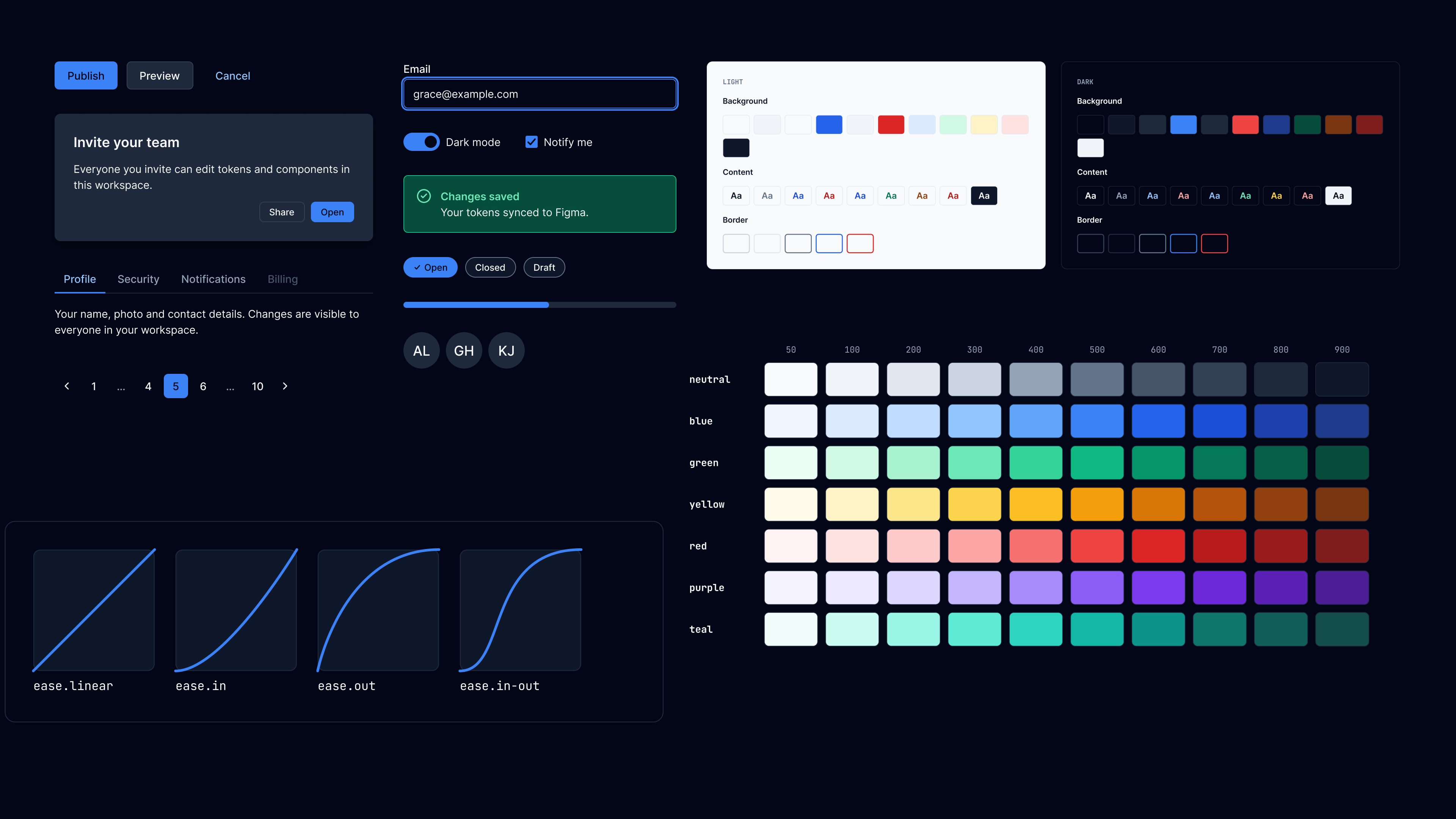
Quieto Design System
A token-driven design system with three-tier design tokens, a library of accessible web components, Figma libraries synced from code, and AI tools that let an assistant build with it.
The problem I wanted to solve
Design systems usually drift. The Figma file says one thing, the code says another, and the documentation describes whichever was true when someone last updated it. Token names follow a convention that lives in someone's head instead of one a tool can check. And a component library built for one framework can't follow you to a project built on another.
I built the Quieto Design System (QDS) to solve that for my own work. The goal was one source of truth that the tokens, the components, the Figma files, and the documentation all come from, so none of them can quietly fall out of sync.
What QDS is made of
QDS has four parts, and each one is fed by the one before it:
- Design tokens: one token file that defines every color, space, type style, radius, shadow, and motion value, in light and dark.
- Web components: a component library styled by those tokens and nothing else, usable in any framework or none.
- Figma libraries: variables and components generated from the same token file, so design and code describe the same system.
- AI workflow tools: an MCP server, Claude Code skills, and machine-readable docs, so an AI assistant can build with the system as reliably as a person can.
All of it lives in one open source monorepo (pnpm workspaces and Turborepo), so the dependency chain runs in one direction: tokens, then components, then docs. One pull request can change a token and every place it shows up.
Three-tier Design Token System
The token package, @quieto/design-tokens, is built on three tiers:
- Primitives hold the raw values: color ramps, a spacing scale, type sizes, radii.
- Semantic tokens give those values a job, like "the background of a primary action," and they are the only tier that changes between light and dark.
- Component tokens describe one component, like the primary button's background at rest, and point at semantic tokens.
That structure survives all the way into the shipped CSS instead of being flattened into hex values. A component's variable points to a semantic variable, which points to a primitive. Dark mode only redeclares the semantic layer, and everything downstream follows. It also means a component's own variables double as its styling API: to restyle a button, you override the same variable the token file defines.
The naming structure
The part I'm proudest of is the naming system. Every token name is built from a fixed grammar (prefix, tier, category, property, role, state) and each slot has a controlled vocabulary. Those vocabularies live as data in the repo, and three things read them: a validator that rejects bad names before the build runs, the transform that generates CSS variable names, and the docs site that renders the naming reference.
That means the documentation can't describe a rule the build doesn't apply. If someone invents a new role in Figma, CI fails and names the allowed values. The validator also checks that each tier only references the tier beneath it, and that light and dark define exactly the same tokens.
Web components library
The component library, @quieto/ui, has 24 components (30 custom elements) built with Lit: buttons, chips, menus, form controls, a text field, select, accordion, card, modal and drawer, tabs, breadcrumbs, pagination, alerts, toasts, tooltips, and more. Because they're web components, they work in React, Vue, Svelte, plain HTML, or anything else.
Every visual property of every component resolves through its component tokens. Nothing is hard-coded, so a component can't drift from the token system, and switching to dark mode needs no component code at all.
I also put a lot of effort into the parts of a component library that are easy to skip:
- Accessibility first. Components handle keyboard navigation, focus management, right-to-left layouts, form submission, and native browser features like find-in-page, and they follow WCAG guidance for contrast and focus visibility.
- Tested in real browsers. The test suite runs in Chromium instead of a simulated DOM, because shadow DOM, focus delegation, and inherited CSS variables are exactly what simulated DOMs get wrong, and they're the substance of the library.
- Released with Changesets. Merging a change opens a versioned release, and both packages publish to npm on their own.
Figma libraries synced from code
In a lot of design systems, Figma is where tokens are made and code has to catch up. QDS works the other way around. A sync script reads the same token file the CSS is built from and writes it into Figma: three variable collections (primitive, semantic with light and dark modes, and component), plus text and shadow styles. Every variable carries its CSS name as its code syntax, so developers inspecting a design see the exact variable to use.
There are two Figma files, both published to the Figma Community:
- Quieto Tokens: the foundations, color, typography, spacing, borders, elevation, motion, layout, and the naming grammar, with every swatch and specimen bound to a live variable.
- Quieto Component: a page for every component in @quieto/ui. Each one is a variant set (variant, size, state) bound to the token variables, documented with examples, usage, accessibility notes, and its component token tables, next to the component itself.
Documentation that keeps up
The documentation site at quieto.dev is built with Eleventy, and most of it is generated rather than written. Token tables come from the token build. Component APIs (attributes, slots, events, and CSS properties) come from a manifest the component build produces. Every component page has a live playground, examples, accessibility notes, and its tokens. When a token or component changes, its documentation changes in the same build.
AI workflow tools
More and more UI gets built with an AI assistant in the loop, and assistants are only as good as what they know about your system. I built three tools so an assistant can work with Quieto as reliably as a person would.
The Quieto MCP server
The Quieto MCP server gives any MCP client (Claude Code, Claude Desktop, Cursor, VS Code) the tools to build and check a token system: generating accessible color ramps, spacing and type scales, light and dark themes, checking contrast, and inferring a starting token system from an existing codebase's hard-coded styles. It's hosted on Cloudflare Workers at quieto.dev/mcp, so there's nothing to install.
Claude Code skills
Quieto Skills are seven Claude Code skills that turn the Quieto Tokens CLI into guided conversations: scaffolding a new token system, auditing one for broken references and contrast failures, migrating hard-coded CSS values to tokens, generating component tokens, and previewing the effect of a change before it's written. They install into any project with one command.
Docs written for assistants
The docs site also publishes llms.txt and llms-full.txt: plain-text versions of the documentation, generated from the same sources as the site, with the rules for using QDS correctly. An assistant building a page with @quieto/ui can read exactly which components exist, what their attributes are, and which tokens to reach for.
Building with AI, too
I also used these workflows to build Quieto itself. I worked in Claude Code throughout, and every Figma page in the Components file was built from code through Figma's MCP server. I designed a pilot page for the button and icons, reviewed and refined it, and then used it as the template for the other components. That's the workflow I want Quieto to support: a person sets the direction and makes the decisions, and the assistant does the repetitive work against a system it can't break.
Results
- Two packages published to npm: @quieto/design-tokens and @quieto/ui.
- -More than 600 design tokens across three tiers, in light and dark, with a naming grammar checked on every build.
- 24 accessible web components, tested in real browsers.
- Two Figma Community files generated from the same token source as the code.
- A documentation site, an MCP server, and Claude Code skills, so the system works the same for people and AI assistants.
QDS gives me a system where design, code, docs, and AI tools all come from one place, so changing a decision means changing it once.
Links
- Quieto documentation
- QDS on GitHub
- @quieto/ui on npm
- @quieto/design-tokens on npm
- Quieto Tokens on Figma Community
- Quieto Components on Figma Community
- Quieto MCP server
- Quieto Skills